
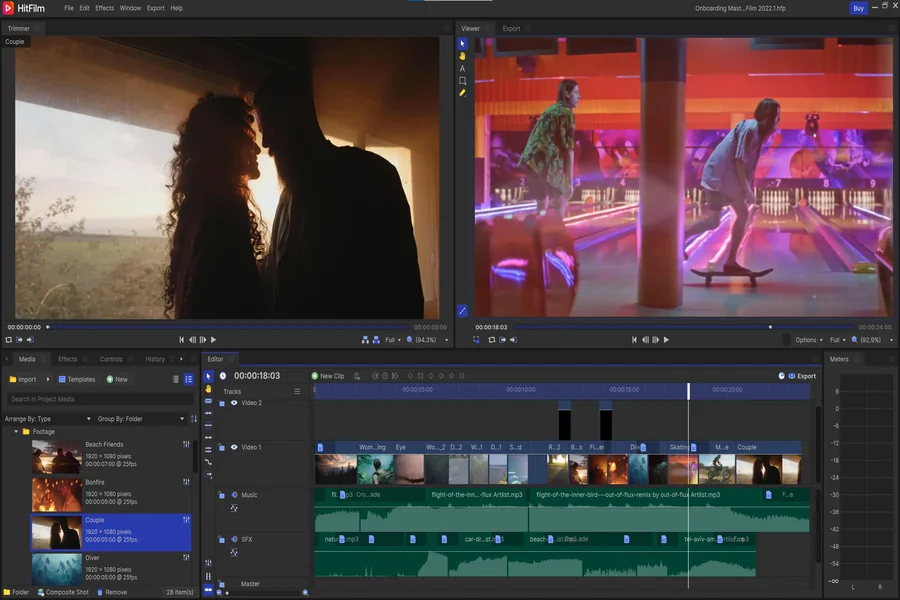
Learning to edit photos can feel hard at first. But the right tool can make things easier. You don’t need to spend money to get started. Many free photo editors offer great features for beginners. These tools are easy to use and perfect for learning. In this article, we’ll look at the best free photo editors for beginners. We’ll keep the language simple so anyone can follow along.
Why Use a Free Photo Editor?
Free photo editors give you a way to improve your pictures without paying anything. You can crop, add filters, fix lighting, and much more. These tools help you be creative and learn new skills. You don’t need to be a pro to use them.
What Makes a Good Editor for Beginners?
A good photo editor for beginners should be easy to use. The tools should be clear and simple. It should also have basic features like cropping, filters, and brightness control. It helps if it comes with guides or tutorials too.
Pixlr – Simple and Fast
Pixlr is a great online tool for editing photos. You don’t need to download anything. Just open your browser and start editing. The design is simple, and you can learn fast. It has tools like crop, rotate, brightness, and filters. Beginners will find it very friendly.
Photopea – Like Photoshop, But Free
Photopea looks a lot like Photoshop. It works in your browser, and you don’t need to sign up. You can edit many types of files, like JPG and PSD. While it may look complex at first, it’s a great way to grow your skills over time. Even beginners can start with simple edits.
Canva – Perfect for Creative Projects
Canva is more than just a photo editor. It helps you design posters, social media posts, and more. The drag-and-drop feature is easy to use. You can apply filters, crop pictures, and add text with just a few clicks. Many templates help guide you through your design.
Fotor – Quick Edits with Style
Fotor is an online editor that offers fast edits. It’s great if you want to make your photos look good quickly. It includes one-tap tools for brightness and contrast. It also offers filters and collage options. Even if you’re new to editing, you’ll enjoy using it.
BeFunky – Fun and Easy Tools
BeFunky lives up to its name. It’s fun to use and has lots of features. You can touch up selfies, create collages, and even make simple art. The design is clean, and the tools are easy to find. Beginners can learn while having fun.
GIMP – A Bit Advanced, But Worth Trying
GIMP is a free program you can install on your computer. It has powerful tools like Photoshop, but it takes more time to learn. Still, it’s great for beginners who want to grow into advanced editors. Start with the basics, and explore more as you go.
Snapseed – Best for Phones
Snapseed is a mobile app by Google. It works on both Android and iOS. It has simple tools and auto-fix options. You can tune the image with one tap. It also has advanced tools if you want to try more. If you edit photos on your phone, this is a top choice.
Darktable – For Camera Lovers
Darktable is a free desktop tool made for people who use cameras. If you shoot in RAW format, this is for you. While it’s more advanced, beginners can still use it. It helps you organize and edit large photo collections. It’s a good way to learn more about light and color.
Tips for New Photo Editors
Start with one tool and practice often. Don’t try to learn everything at once. Focus on basic edits like cropping, brightness, and filters. Watch tutorials or read guides if you feel stuck. With time, your skills will grow.
Try Projects for Fun
Try making a photo collage or editing a picture of your pet. Fun projects keep you motivated. They also help you learn new tools without pressure. Canva and BeFunky are great for creative ideas like cards or posters. Some users who enjoy editing also like online games like stellarspins real money pokies.
Stay Safe Online
Always be careful when using online tools. Use trusted websites. Don’t download files from sites you don’t know. If you’re using an app, check the reviews and ratings first. Keep your photos and personal info safe.
Editing Builds Confidence
As you learn to edit photos, you’ll start seeing things in a new way. You’ll notice light, shadows, and colors more. Each picture you edit helps you grow. Keep your first edits and look back to see how far you’ve come.
Closing Words
You don’t need to be a pro to start editing. Many free tools are made just for beginners. Start simple. Learn a few features, and keep practicing. Whether you use Pixlr, Canva, or Snapseed, the most important thing is to have fun.
Photo editing is not just about making pictures look good. It’s about telling stories, sharing moments, and being creative. These free tools can help you do that. And as you learn, you’ll find even more ways to express yourself through your photos.